How to avoid getting your WhatsApp number blocked: a practical guide
Concrete, field-tested practices for keeping your WhatsApp number healthy when running outreach campaigns — from warmup routines to content hygiene and what to do after a warning.
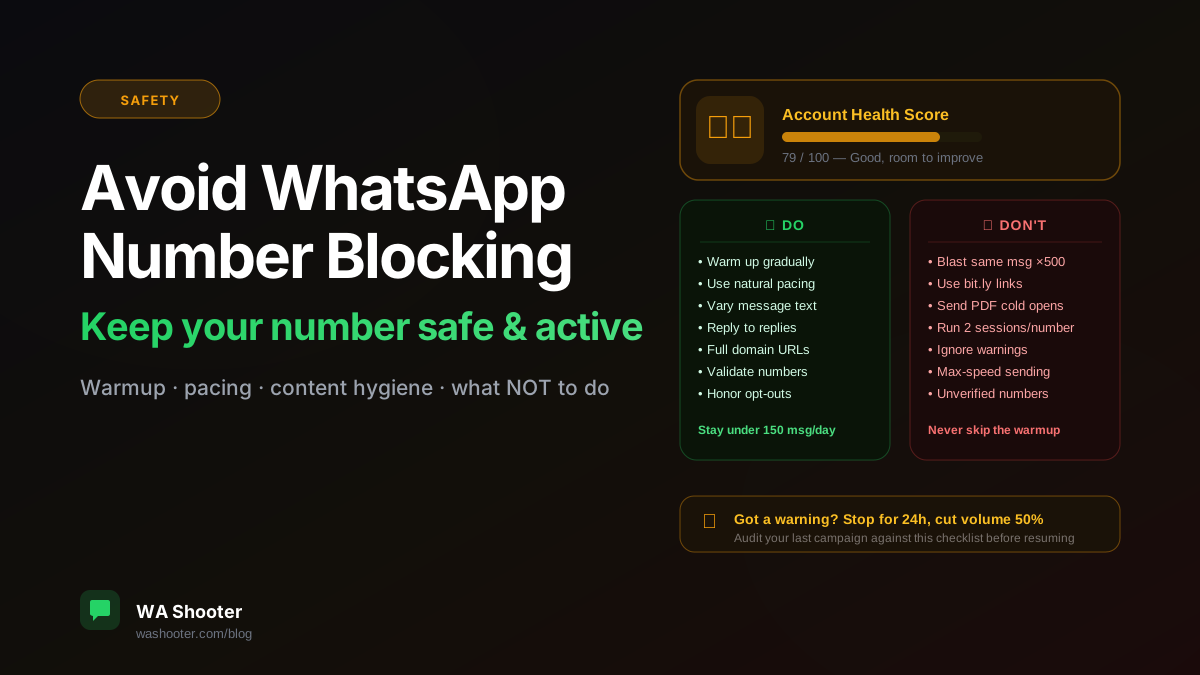
A blocked WhatsApp number means starting over — new SIM, new warmup period, rebuilding trust. The cost is high enough that it's worth spending ten minutes understanding exactly what triggers blocks and how to stay on the right side of WhatsApp's anti-abuse systems.
How WhatsApp detects suspicious activity
WhatsApp's anti-abuse system is not a single rule — it's a pattern detector. It watches for combinations of signals:
- Volume spikes: a number that suddenly sends 200 messages when it averaged 5/day last week
- Identical message content sent to many unrelated numbers in quick succession
- High bounce rate: messages to disconnected numbers that were never WhatsApp contacts
- Report rate: how many recipients tap "Block and report" on your messages
- Abnormal timing: 200 messages dispatched in under 3 minutes
You can trigger a warning or restriction with any of these, but the system is usually looking for combinations of two or more.
The warmup rule: the most important one
A brand-new SIM or a number that hasn't been used in months needs a warmup period before high-volume sending. The pattern to follow:
- Week 1: 20–30 messages per day, to people who actually know you (friends, colleagues).
- Week 2: 50–80 messages per day. Start sending to your real list.
- Week 3+: Ramp up toward your target volume, 20% per week.
Skipping warmup is the single most common cause of early blocks. A 2-day-old SIM sending 200 messages on day one looks exactly like an automated spambot — because that's exactly what spambots do.
Message variation: use AI spin
Identical messages to hundreds of numbers is a strong spam signal. Even one slightly different phrase per message reduces the pattern match significantly. WA Shooter's AI Rewrite feature generates unique variations of your template for each contact — same meaning, different words. Turn it on for any broadcast above 50 contacts.
A good variation strategy looks like this:
Base: Hi {{name}}, your quote for {{service}} is ready. Reply to confirm.

Variation A: Hey {{name}}, the quote you requested for {{service}} is all set. Let me know when you'd like to confirm.
Variation B: {{name}}, quick note — your {{service}} quote is ready whenever you are. Just reply here.
Pacing: do not rush
WhatsApp sees unnatural speed. Sending 500 messages in 10 minutes is a red flag. Sending 500 messages over 90 minutes with natural variance in the inter-message delay looks like a busy human. WA Shooter's default pacing is calibrated for this — leave it on. The extra 80 minutes of sending time is worth the risk avoidance.
Contact hygiene
- Validate numbers before every campaign. Bouncing off disconnected numbers at scale hurts your reputation. The validator in WA Shooter checks which numbers are active on WhatsApp before you send.
- Remove opt-outs immediately — not just from this list, from all lists. A person who has already said "don't contact me" and receives another message is almost certain to report you.
- Avoid cold sending to scraped numbers. People who never gave you their number and never heard of your product have the highest block-and-report rates.
Content rules that reduce reports
- Include your real name or company name in the first message. Anonymous messages get reported more.
- Avoid shortened links (bit.ly, tinyurl). Use full URLs to your own domain. Short links are pattern-matched by spam detectors.
- Don't lead with attachments on cold contacts. A PDF from someone the recipient doesn't recognize feels like phishing.
- Put an opt-out in the first message of any new campaign: "Reply STOP to opt out."
What to do if you receive a warning
WhatsApp usually gives one or two warnings before a restriction. If you see one:
- Stop sending immediately for at least 24 hours.
- Audit your last campaign against the list above. What did you do that triggered it?
- When you resume, drop daily volume to 50% of your previous level for at least a week.
- Do not switch SIMs and resume at full volume on the new number — the pattern is tracked, not just the number.
WA Shooter's built-in protection
The defaults in WA Shooter exist for this checklist: natural pacing, number validation, AI variation, opt-out tracking, per-number campaign reports. Using the default settings covers about half this list automatically. The other half is up to you — the decisions about who you message and what you say. No tool can substitute for a well-curated list and honest, relevant content.
Try WA Shooter on your own contact list
Install the Chrome extension and send your first personalized campaign in under five minutes — free trial included.