How to send personalized WhatsApp messages to 500 contacts in under 10 minutes
A practical walkthrough of the exact steps — CSV prep, message composition, number validation, and send — that get a 500-contact personalized WhatsApp campaign out in under 10 minutes.
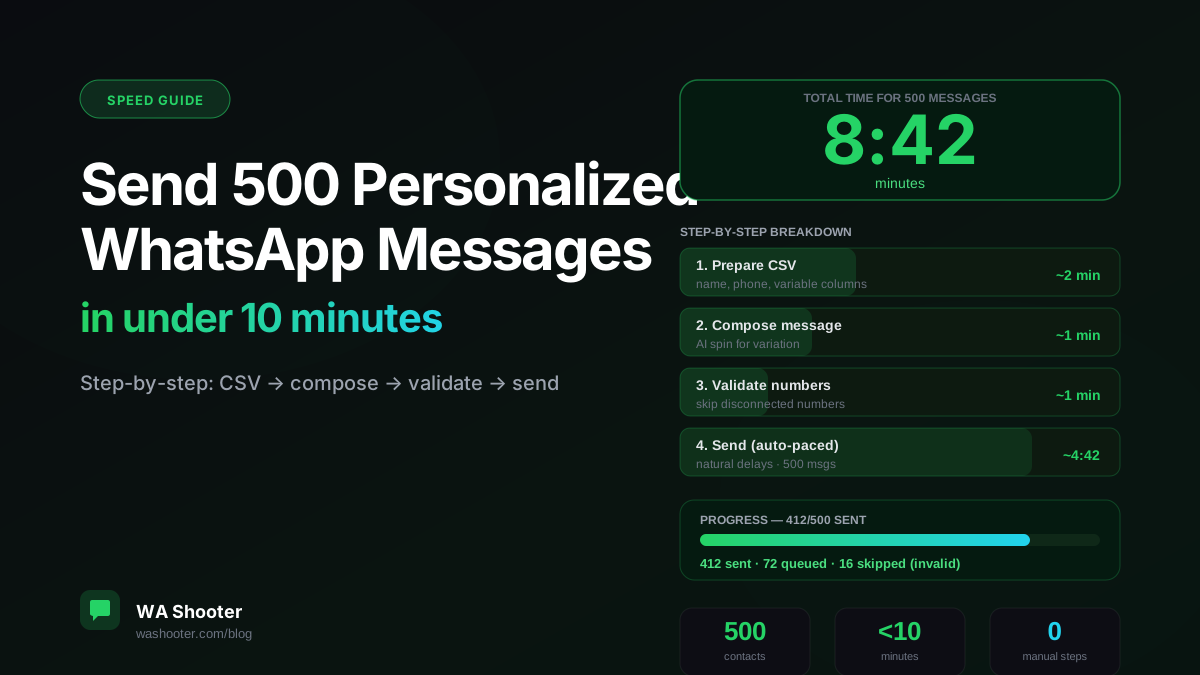
Five hundred personalized WhatsApp messages in under ten minutes. That's not marketing copy — that's a literal clock measurement. This guide walks through the exact workflow, step by step, with the time each step takes so you know exactly what's happening and why.
What "personalized" means here
Not mail merge with a name slapped on. Personalized means each message uses at least two variables from your contact data — name, company, product, event they attended, area they're in — so the message reads as if it was written for that specific person. This is what moves reply rates from 3% to 15–30%.
Step 1: Prepare your CSV (~2 minutes)
Your CSV needs at minimum:
phone— with country code, no spaces or dashes (+919876543210)name— first name preferred for WhatsApp's conversational tone- Any other variable columns you want in your message (
city,product,event_date, etc.)
Common issues to fix before importing:
- Excel scientific notation on phone numbers — format the column as Text before saving
- Missing country codes — add them with a formula:
="+91"&A2 - Duplicates — remove them; WhatsApp will skip duplicate sends anyway, but it wastes time
Save as CSV. Done.
Step 2: Compose your message (~1 minute)
In WA Shooter, click New Campaign, then import your CSV. The compose box shows all your columns as available variables.
Write your message with double-curly variables:
Hi {{name}}, quick note about {{product}}:

[Your core message here — 2–3 sentences max]

Reply {{action_word}} and I'll follow up today.
Turn on AI Spin — this generates 8–10 sentence-level variations of your template so no two messages are identical. It costs about 10 extra seconds and significantly reduces spam detection risk for large batches.
Step 3: Validate numbers (~1 minute)
Click Validate Numbers. WA Shooter pings WhatsApp to check which numbers in your CSV are active. A 500-contact list typically has 15–40 invalid numbers (disconnected, not on WhatsApp, typos). Skipping these:
- Saves your sending budget and time
- Protects your number health (bounce rate is a spam signal)
- Keeps your campaign report clean
Validation of 500 numbers takes about 45–60 seconds.
Step 4: Send (~5–6 minutes of actual sending)
Click Start Campaign. WA Shooter begins sending with natural inter-message delays (typically 2–8 seconds per contact with some variance). For 460–480 valid contacts, sending time is typically 5–7 minutes.
You can close the laptop while it runs — but keep WhatsApp Web open in the browser tab. WA Shooter runs in the browser extension so the tab needs to stay active.
Step 5: Export the report (~30 seconds)
When the campaign finishes, WA Shooter shows you a summary: sent, skipped, errors. Click Export XLSX to get the full report with status per contact. This is your follow-up list — anyone who replied goes into your next action queue.
Total: under 10 minutes
| Step | Time |
|---|---|
| Prepare CSV | ~2 min |
| Compose + AI spin | ~1 min |
| Validate numbers | ~1 min |
| Send (500 contacts) | ~5–6 min |
| Export report | ~30 sec |
| Total | ~9:30 min |
Important safety notes
- Don't send 500 messages on a brand-new number. Warmup first (see our number safety guide). A warmed number handles 500 messages without incident. A new number may get flagged.
- Use AI Spin on any batch above 100. Identical messages at scale are flagged faster than variations.
- Keep pacing on default. The slightly longer total send time is the safety margin. Don't crank the speed up.
- Include an opt-out line. "Reply STOP if you'd rather not receive these" costs you one line and saves you from block-and-reports.
What to do next: following up on replies
After a campaign, you'll have a percentage who replied. Export your XLSX report, filter for "replied", and import that sub-list into a new campaign for the follow-up sequence. This is where the real conversion happens — the first message opens the conversation, the second one closes it.
Try WA Shooter on your own contact list
Install the Chrome extension and send your first personalized campaign in under five minutes — free trial included.